Deploy from Claude or Cursor with the Supadrop skill
Add the Supadrop skill to your project so your AI coding assistant can deploy and update sites for you.
The Supadrop skill is a file, skill.md, that holds the full Supadrop API reference. Give it to your AI coding assistant and it can publish, update and hide your sites for you. It works with Claude Code, Cursor, Codex, Windsurf, Copilot and other assistants that read files from your project. The API is available on the Pro and Large plans.
Set up the skill
-
Create an API key and name it after your assistant (for example
Claude Code). -
Add the key to the
.envfile of your project, and make sure.envis in your.gitignore:SUPADROP_API_KEY=sk_live_YOUR_KEY -
In your dashboard, open API, then click Download skill. The file opens in a new tab.
-
Save it in your project as
skill.md.
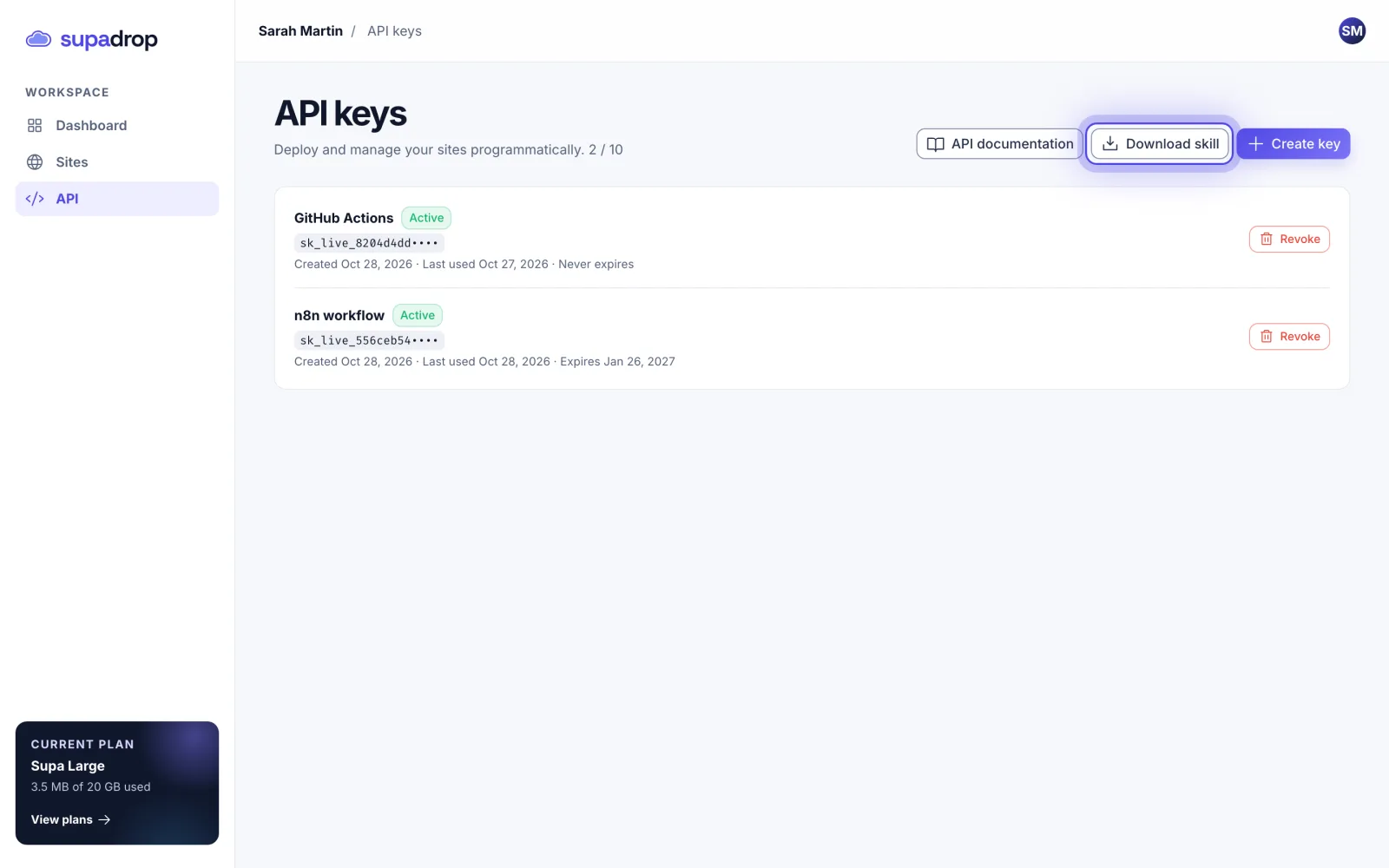
You can also point your assistant to the file online, with no download: https://supadrop.host/supadrop-skill/skill.md.
Ask your assistant to deploy
Ask in plain words. Pick the slug, the first part of your site address, then copy the prompt:
The assistant sends your files to Supadrop and replies with the live link, such as https://my-portfolio.supadrop.site. If it does not use the skill, add @skill.md to your message (Claude Code and Cursor).
To publish a new version, ask it to update the same site: “Update my-portfolio on Supadrop with the new build”. The URL and QR code stay the same.
Good to know
- The skill covers every action of the API: list, deploy, update and delete sites, and hide a site from search engines.
- Your assistant reads the key from
SUPADROP_API_KEY. Never paste the key in a chat or commit it to your repository. - Use one key per assistant. If you stop using one, revoke its key in API and the others keep working.
- The skill does not change your plan limits: number of sites, storage and file size stay the same as in the dashboard.
- Need the raw endpoints? See the API documentation.