Photography portfolio
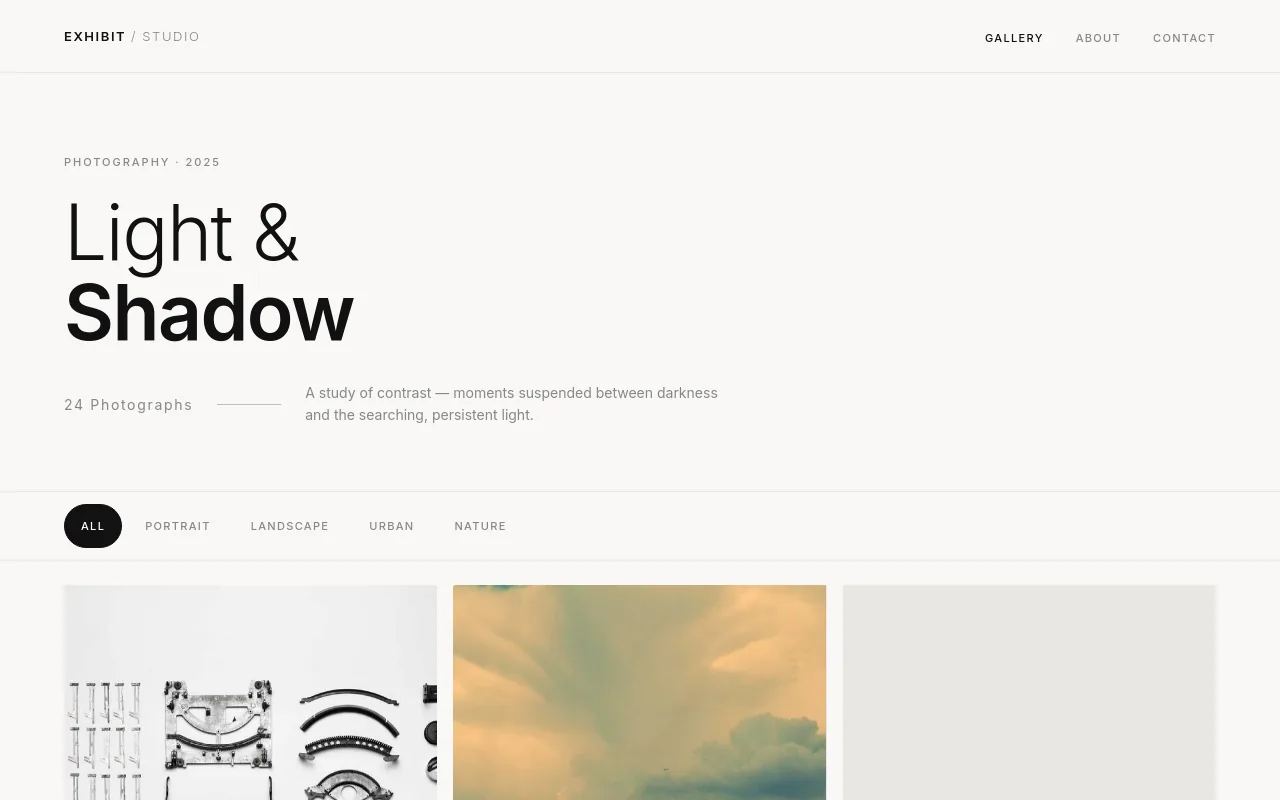
Filterable gallery of 24 photographs, no gallery plugin needed.
Build your portfolio with any tool, from a free HTML template to an AI builder, then drop the files here. It goes live at an address with your name in it, with no builder branding, and with a QR code for your business card.
Portfolio hosting means keeping the files of your portfolio website online at a public address, so clients and recruiters open your work from a link. A builder hosts what you make in its editor. A static host serves files you made with any tool. Supadrop puts your portfolio folder online, with your own domain and a QR code, in about a minute.
Start from a free HTML template, an Astro or Hugo theme, or ask Claude or ChatGPT to write it. Replace every placeholder with your own projects.
Put index.html at the top of the folder with its images and stylesheets, or zip the build output of your framework (dist, build or out).
Upload the ZIP and pick your subdomain, or connect your own domain. The portfolio is live over HTTPS, with a QR code, in about a minute.
Not sure what to put in it? See portfolio website examples by profession
The platforms people weigh before putting a portfolio online, and what each one costs you in branding, domain and freedom to leave.
| Comparison point | Supadrop | Adobe Portfolio | Wix | Canva | GitHub Pages |
|---|---|---|---|---|---|
| How you build it | Any tool, upload the files | Adobe editor | Wix editor | Canva editor | Your code, pushed with Git |
| Free option | 15-day trial, no card | No, needs a Creative Cloud plan | Free plan | Free plan, 5 sites | Free for public repos |
| Branding on the free option | None | Not applicable | Wix ads | "Designed with Canva" footer | None |
| Custom domain | All paid plans | Yes, 1 domain | Paid plans | Canva Pro and up | Free |
| Leave with your site | Yes, it is your folder | Tied to the subscription | No export to another host | No site export | Yes, it is your repo |
| QR code included | Yes, every site | No | No | No | No |
| Catch to know | Trial needs a plan to continue | Site goes offline if the plan ends | Ads until you upgrade | Footer stays on the free plan | Git workflow, 1 GB per site |
Facts checked on 2026-10-27 against each platform's help pages and pricing. Builders and hosts compared in detail in the best hosting platforms for portfolio websites. Developer? See Supadrop vs GitHub Pages and every Supadrop alternative.
A photography gallery, a musician's homepage and a link-in-bio page, each dropped as a ZIP. Open one to see what visitors get.
Filterable gallery of 24 photographs, no gallery plugin needed.
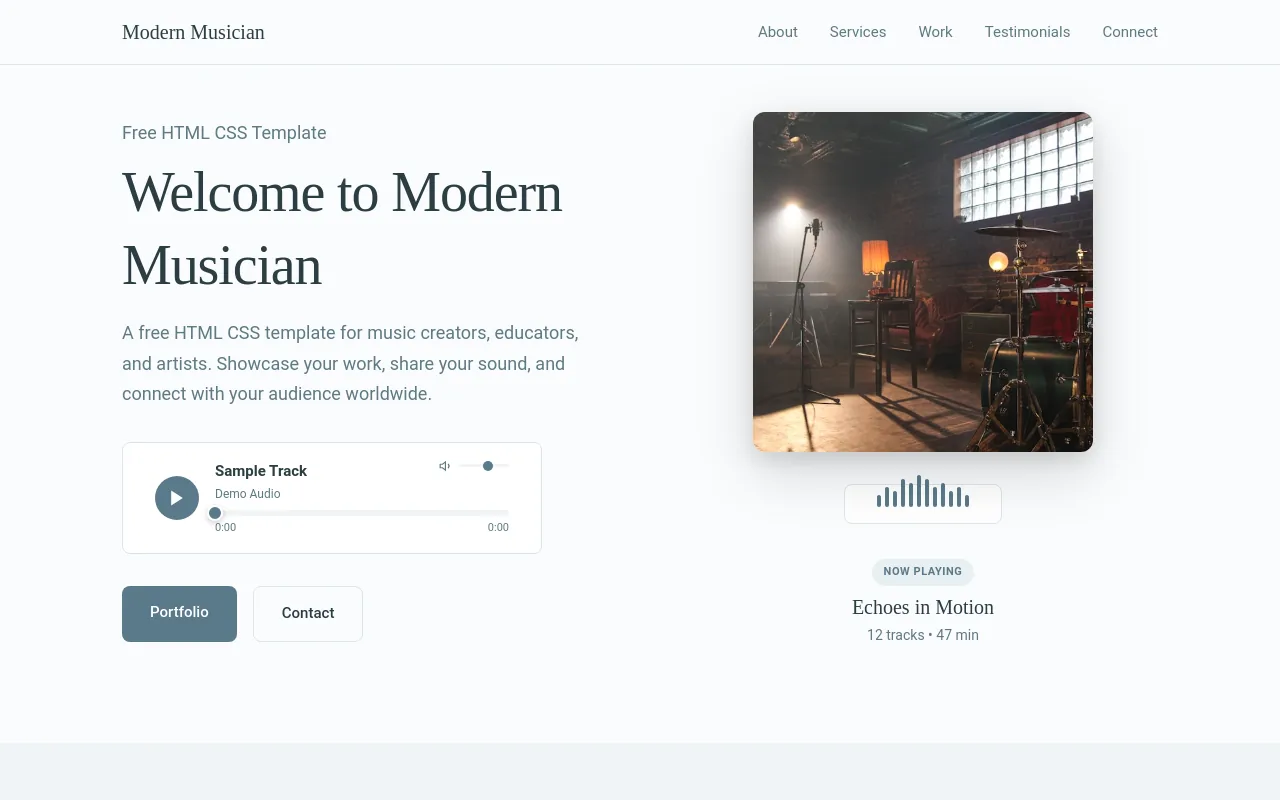
Artist homepage with an inline track player and a full tracklist.
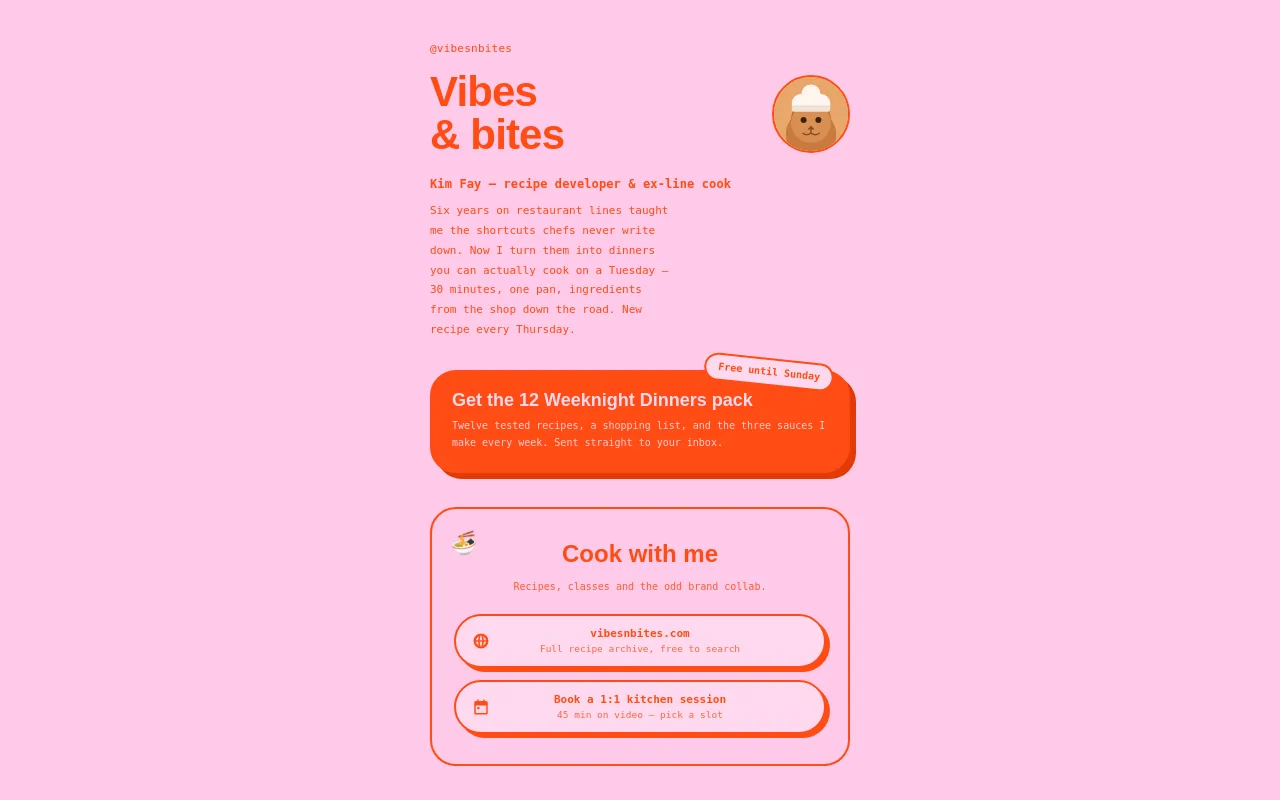
Creative link-in-bio page with an email offer and booking links.
Start with 15 free days, no card. Paid plans from $7 a month.
Every account starts with 15 days to try Supadrop, no credit card.
$0 for 15 days
Nothing is charged when it ends. If you don't pick a plan, your site goes offline and your files are deleted 7 days later.
GitHub Pages hosts a portfolio for free from a public repository, if you are comfortable with Git. Builders such as Wix and Canva publish for free on their own subdomain, with their branding on the page. Supadrop gives you 15 days free with no credit card, then keeps your portfolio online from $5 per month billed yearly ($7 month to month), with your own domain and no branding.
Building it can cost nothing: a free template, a static site generator or an AI tool all produce the files. What you pay for is hosting and a domain. On Supadrop that is from $5 per month billed yearly ($7 month to month), plus about $10 to $20 per year for a domain name. Builder plans that remove ads and connect a domain usually cost more each month.
Yes. Start from a free HTML template, an Astro or Hugo theme, or ask Claude or ChatGPT to write the page from a list of your projects. The result is a folder you own. Drop it on Supadrop and the portfolio is live at your own URL, free for 15 days with no credit card.
Only if the tool gives you the files. These builders publish on their own platform and do not offer a plain HTML export of a whole site. To move one, rebuild the design as HTML, for example from a template or with an AI tool working from a screenshot, then upload the result.
Anything that produces static files: plain HTML, Astro, Hugo, Jekyll, Eleventy, React or Vue with Vite, Svelte, and Next.js with static export. Run the build, zip the output folder (dist, build or out) and upload the ZIP. Client-side routes fall back to index.html, so they do not return a 404.
Your own name, as short as you can get it: janedoe.com, or janedoe.design if the .com is taken. It is easy to say out loud, it reads well on a resume, and it stays yours if you change host. Every Supadrop paid plan connects a custom domain with HTTPS included.
Drop the new version on the same site in your dashboard. It replaces the old one in seconds, and the URL and QR code stay the same, so every link you have already shared opens your latest work.
Sites are served from Cloudflare's global network over HTTPS, and Supadrop serves your files as they are, without recompressing them. Load time then depends on your images: export them at the size they are displayed, in WebP or AVIF, and a portfolio loads in about a second.
Drop your files, share the link, and let your work do the talking. Same URL and QR code for every update.
Start Free15-day free trial. No credit card required.
Short answers to the questions people ask before they put a portfolio online, each with a full guide.
Three to six projects, each with a short story (the brief, your role, the result), a one-paragraph introduction and a way to contact you. Real examples by profession show what that looks like.
Portfolio website examples, by professionBuilders suit people who want to design in an editor. Static hosts suit people who already have files, from a template, a framework or an AI tool.
The 7 best hosting platforms for portfolio websitesYes. Claude, ChatGPT, Lovable or Bolt write a portfolio from your list of projects. Replace every placeholder, check it on your phone, then publish the files.
Publish an AI-built website, tool by toolIt works well if you want a deploy on every push. If you would rather drop a build folder than maintain a workflow, compare the two first.
Supadrop vs GitHub PagesExport each image at the width it is displayed, in WebP or AVIF, and lazy-load what sits below the first screen. Your files are served as you export them.
Host images in their original qualityPoint your domain's DNS to your host and wait for the HTTPS certificate. On Supadrop it takes a few minutes on any paid plan.
Add a custom domain to a static siteMostly through links you share and searches for your name. A page title with your name and role, a description and a preview image do most of the work.
The SEO checklist for a static site