
Concert poster
Gig poster with the lineup, shared as a link instead of a flyer.
Upload a photo, JPG or PNG and get a permanent HTTPS link in seconds. Paste it in a chat, a forum, a Markdown file or an HTML page. Your original file, no compression, no ads. Start on a 15-day free trial, no credit card.
Converting an image to a URL means uploading the picture to a server that gives it its own public web address. The useful kind is a direct link: it returns the image file itself, not a page around it, so it displays in an img tag, a Markdown file or a forum post. Supadrop serves your original file at a clean URL, with a QR code, seconds after you drop it.
Drag a JPG, PNG, GIF, WebP or AVIF file into the Supadrop dashboard and pick a readable subdomain, such as team-photo. For many images, upload a ZIP.
About 30 seconds later the image is live over HTTPS. The URL is a direct link: open it and you see the picture alone, at full quality.
Use the link in HTML, Markdown, chats or emails, or download the free QR code. Replace the image later and the URL stays the same.
Need the URL of an image that is already online? How to get an image URL
Both give you a URL. Only one of them stays under your control, with nothing around your picture.
| Comparison point | ImgBB (free) | Supadrop image link |
|---|---|---|
| Link you share | Random code on i.ibb.co | yourname.supadrop.site |
| Ads | On the free plan | Never |
| Your file | Optional resize in the uploader | Served byte for byte |
| How long the link lasts | Optional auto-delete, 1 hour to 6 months | No expiry while your plan is active |
| Replace the image, keep the link | Paid plans only | |
| Commercial use | Personal use only (terms) | |
| QR code | ||
| Custom domain | All paid plans | |
| Cost | Free with ads, Pro from $7.99/mo billed yearly | 15-day trial, then from $5/mo billed yearly ($7 month to month) |
ImgBB facts from imgbb.com and its terms of service, checked on 2026-10-25. Weighing Imgur, Postimages and others? See free image hosting tools compared and every Supadrop alternative.
A single poster served as a direct link, and two photo sites uploaded as a ZIP, where every picture has its own URL. Open one to see what your visitors get.
Gig poster with the lineup, shared as a link instead of a flyer.
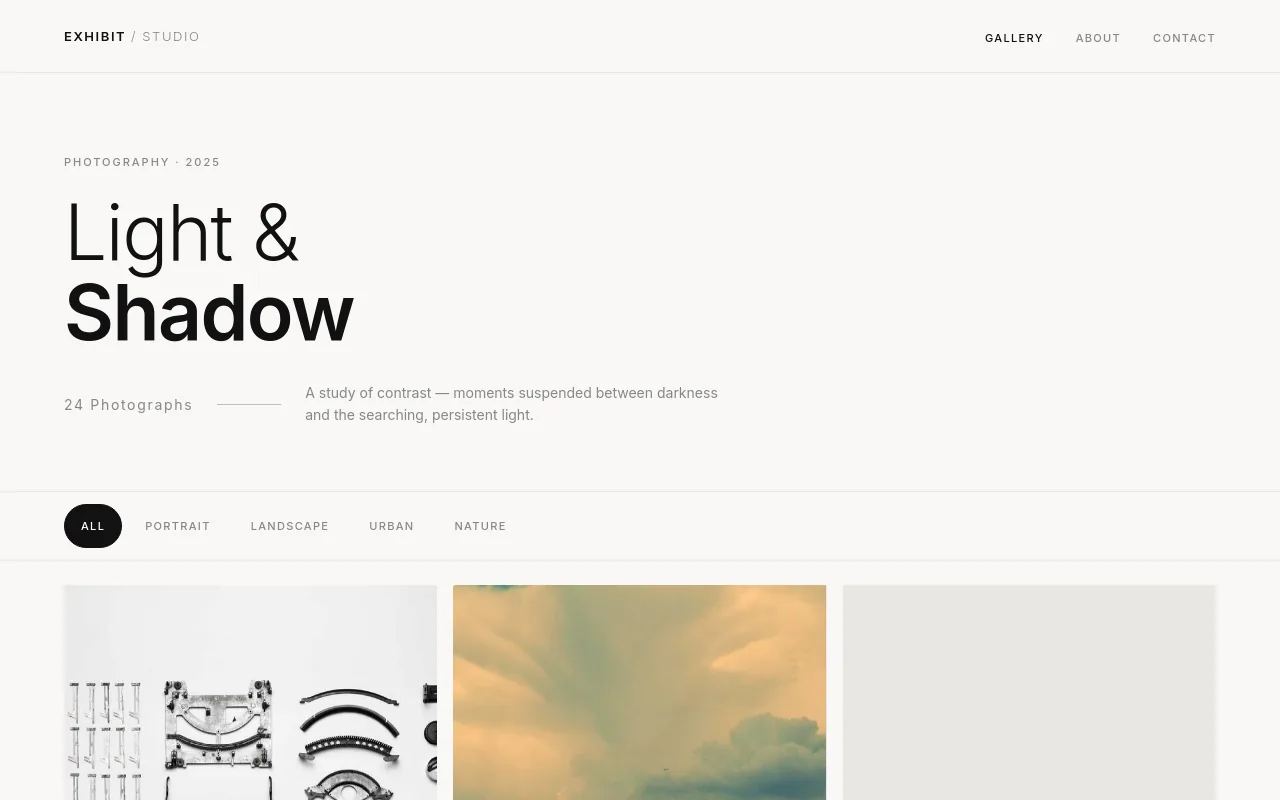
Filterable gallery of 24 photographs, no gallery plugin needed.
Start with 15 free days, no card. Paid plans from $7 a month.
Every account starts with 15 days to try Supadrop, no credit card.
$0 for 15 days
Nothing is charged when it ends. If you don't pick a plan, your site goes offline and your files are deleted 7 days later.
Upload the image to a host that serves it at a public web address, then copy that address. On Supadrop you drag the JPG, PNG or WebP into the dashboard, pick a subdomain, and about 30 seconds later the image is live at an address like logo.supadrop.site, ready to paste in a chat, a forum post or an HTML page.
Yes. Anonymous tools such as ImgBB or Postimages convert an image to a URL for free, in exchange for ads on their pages and a random link you cannot manage later. Supadrop gives you a clean link you choose, with no ads and no compression, free for 15 days with no credit card.
Yes. A single image can be a JPG, PNG, GIF, WebP or AVIF file. SVG is not accepted as a standalone upload for security reasons, but it works inside a ZIP site. iPhone HEIC photos need to be exported as JPEG first, because most browsers cannot display HEIC.
No. Supadrop serves the exact file you uploaded, byte for byte. There is no recompression, no resizing and no format conversion, so a high-resolution PNG stays a high-resolution PNG. If you want a lighter file, export it at the size and quality you need before uploading.
No. A Supadrop image link has no expiry date and no inactivity rule. It stays live as long as your plan is active, and it keeps the same address when you replace the file.
Yes. The link returns the raw image, so it works in an HTML img tag, a Markdown image, a forum BBCode tag or an email signature. Images are served with open cross-origin headers, so they also load from other domains and in tools that fetch them by script.
Yes. Drop the new file on the same site and the next visit shows the new image, on the same URL and through the same QR code. Every page, post or printed code that already uses the link keeps working.
Supadrop starts with a 15-day free trial, no credit card required, with 1 site and 50 MB. After that, plans start at $5 per month billed yearly, or $7 month to month, with a custom domain, more storage and unlimited traffic. To host many images, upload them as one ZIP: every file gets its own URL on the same site.
Upload the file, copy the URL, paste it anywhere. Original quality, no ads.
Start Free15-day free trial. No credit card required.
Short answers to the questions people ask before they share a picture as a link, each with a full guide.
An image already online has an address: right-click it and copy the image address. A file on your device has none until you upload it to a host.
How to get an image URL, on any deviceImgBB, Postimages, Imgur and others are free. They differ on ads, compression, file size caps and how long a link stays up.
Free image hosting tools comparedUpload the folder as a ZIP: every file gets its own direct URL on the same site. Add an index.html and the root address becomes a gallery page.
Yes. Every Supadrop site gets a free QR code that encodes the image link directly, with no redirect, as PNG for screens and SVG for print.
How free QR code generators differDrive opens a viewer page around the file, so an img tag receives HTML instead of a picture. A direct link returns the file itself.
How to host a file on Google Drive, and where it breaksTurn the selects into a small site on your own address, rather than a list of loose image links, so clients see the work in order.
Build a free portfolio website