Share a site with its QR code
Every site comes with a QR code. Download it for print, a menu or a slide, and update the site behind it anytime.
Find your QR code
- Open Sites and click your site.
- In Update & share, the QR code card sits next to Update this site.
- Click Download PNG to save a 1024 px image, or Copy SVG to paste it into a design tool.
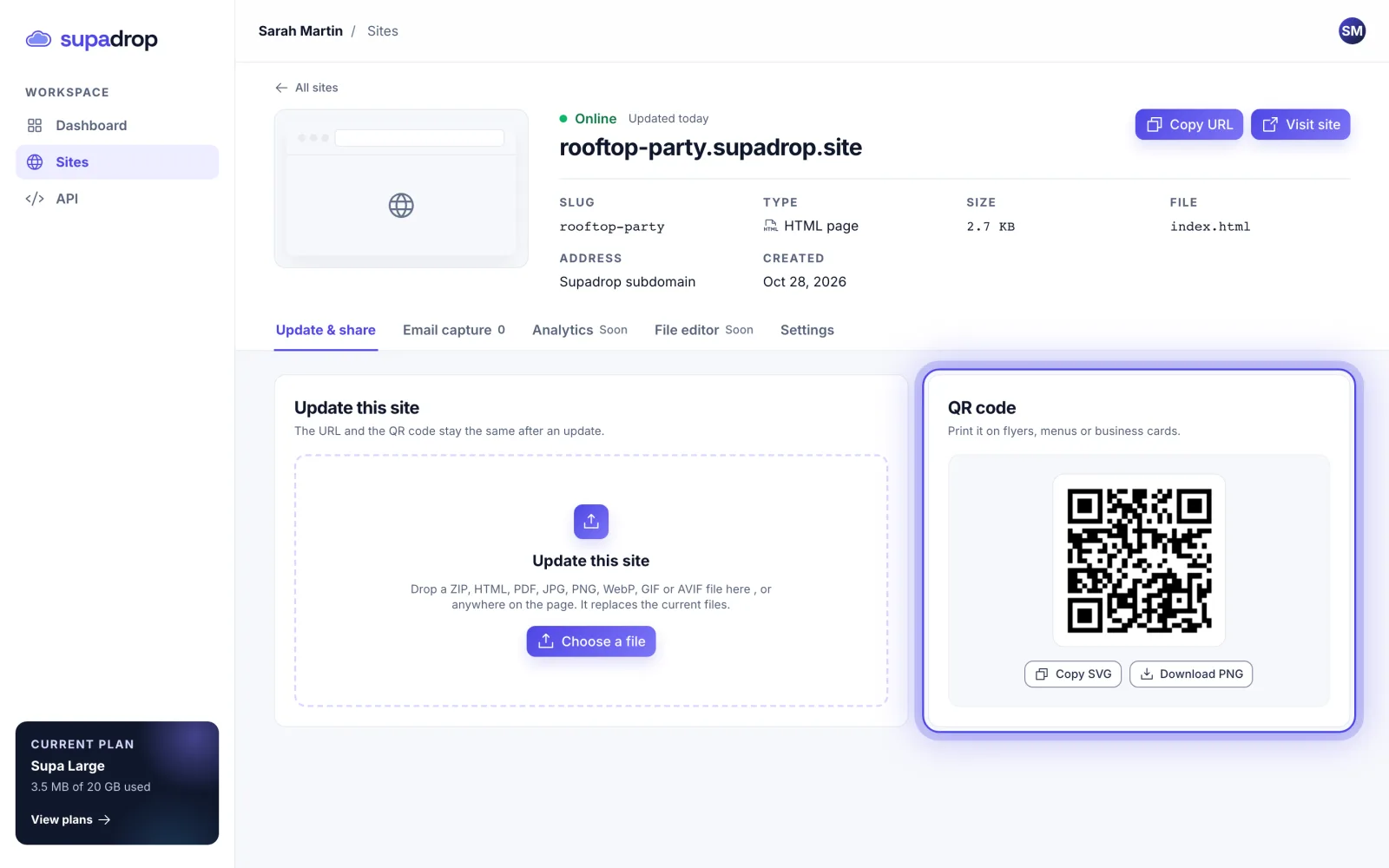
The QR code opens your site address. It stays the same when you update your site, so printed copies keep working.