Change or cancel your plan
Upgrade, downgrade, switch billing period or cancel in the Polar customer portal. Your sites stay online until the end of the paid period.
Polar, our payment provider, handles your subscription. Every change happens in the Polar customer portal, which you open from your dashboard. The portal is there once you pay for a plan. Still on the trial? See Paid plans to subscribe.
Open the customer portal
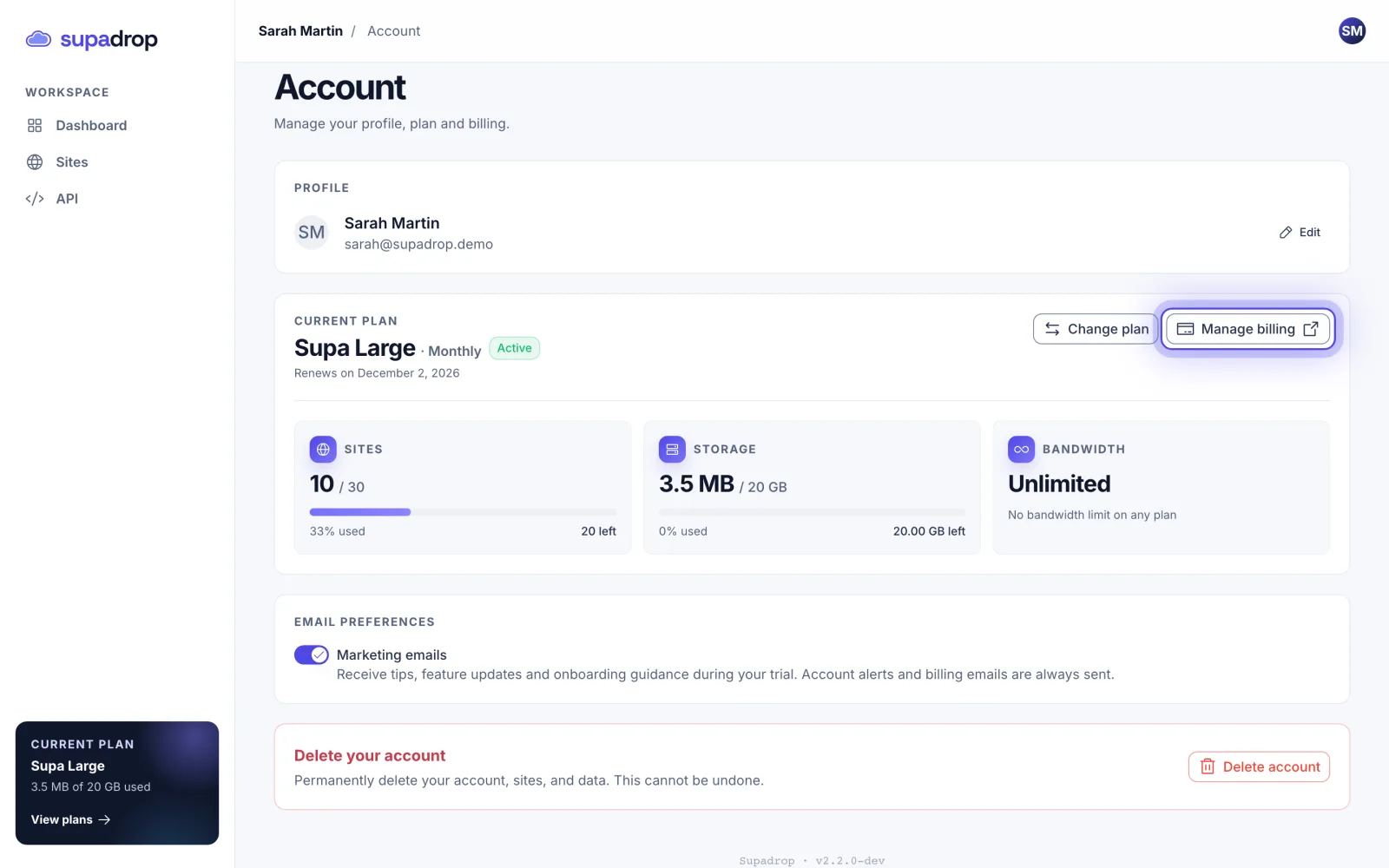
- In your dashboard, open Account.
- On the Current plan card, click Manage billing.
You can also click your avatar, top right, then Billing. The portal opens in the same tab. To come back, click Back to Supadrop.
What you find in the portal
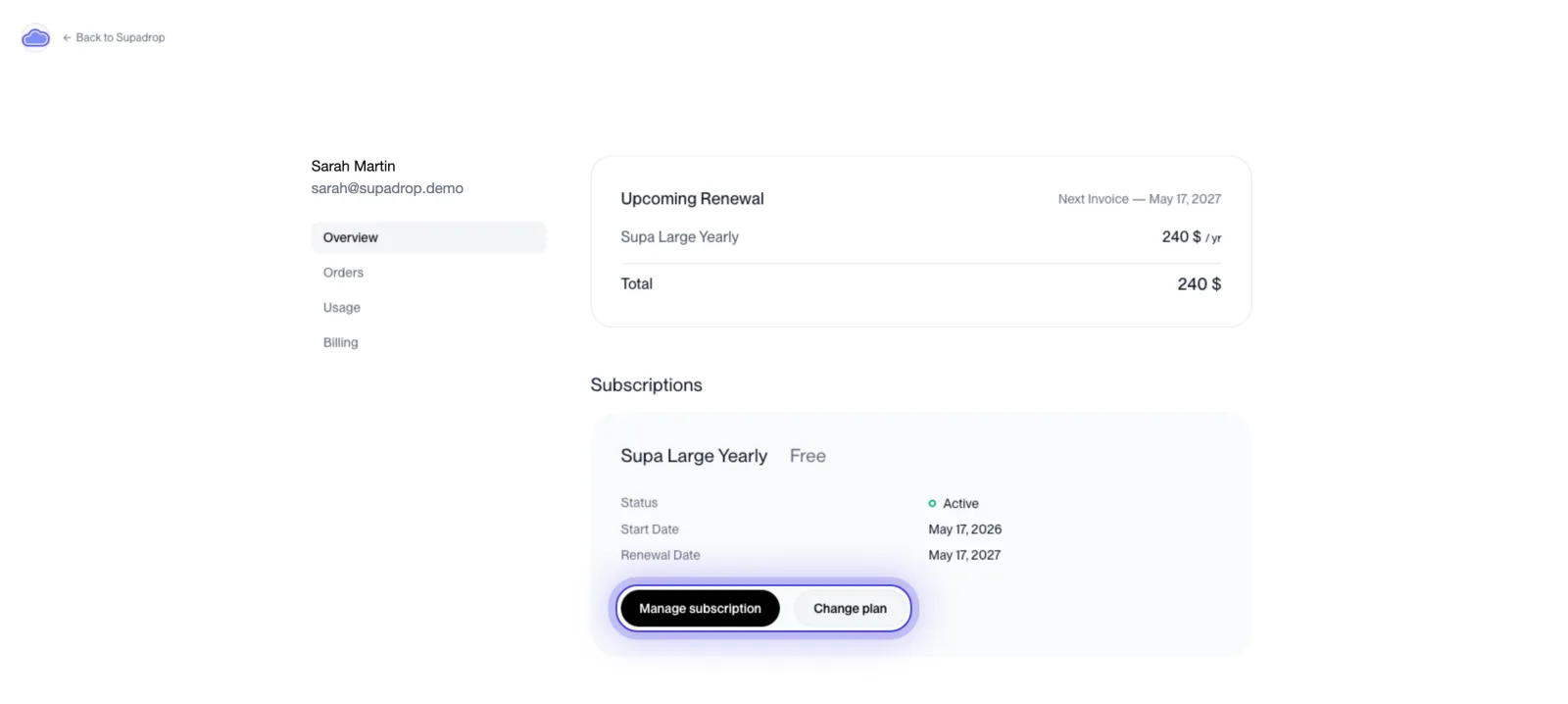
- Overview: your plan, your next invoice and the renewal date, with Change plan and Manage subscription.
- Orders: your past payments and their invoices.
- Billing: the card you pay with.
Change your plan
- In the portal, click Change plan.
- Pick the new plan. Each plan comes as monthly or yearly, such as Supa Pro Monthly or Supa Pro Yearly.
- Confirm.
The Upgrade and Downgrade buttons of the Plans page also open the portal.
- Moving up: the new limits apply as soon as the change goes through.
- Moving down: your sites stay online. New sites and uploads are blocked while you are above the new plan’s limits. Below Pro, email capture turns off (its settings are kept) and your API keys stop working.
- Monthly or yearly: pick the same plan with the other billing period.
Cancel your subscription
- In the portal, click Manage subscription.
- Choose to cancel, then confirm.
Your plan keeps working until the end of the paid period. On the Account page, the plan shows Cancelled and the date your access ends. Payments are non-refundable.
When the paid period ends:
- Day 0: your sites go offline. You can still open your dashboard.
- Day 5: we email you a reminder: your sites will be deleted in 2 days.
- Day 7: your sites, files and captured emails are deleted. Your addresses become free for anyone to take.
Changed your mind? Before the end date, open the portal, click Manage subscription and resume it. In the 7 days after the end, pick a plan again from Account, then Change plan: your sites come back on the same address, with no new upload.
If a payment fails
Open the portal, then Billing, and update your card. If the payment still fails, the subscription ends and your sites go offline, with the same 7 days to come back.
Need a hand with billing? Email us at contact@supadrop.host.